
A fresh-start verse
Four short lines move from a spark of inspiration to a confident entrance. The complete verse is included, with no topic or story to write first.
A scene. A verse. Your performance.
Create a freestyle rap video with a ready-made verse and rooftop scene. No writing needed. Add a photo if you want to take the mic.
Sign in to generate. Review the current credit cost in the creator before submitting.
Freestyle
Use the prepared words as they are, or open the optional lyrics editor in the creator. Keep any changes short enough for your selected clip length.
These are the starting words requested from the model, not a transcript of a finished video. Delivery, pronunciation and exact wording can vary.
One little spark, now I'm finding my flow, City lights blink when I step to the glow. New day, fresh page, got a story to show, Put my name on the beat, let the whole block know.
Freestyle
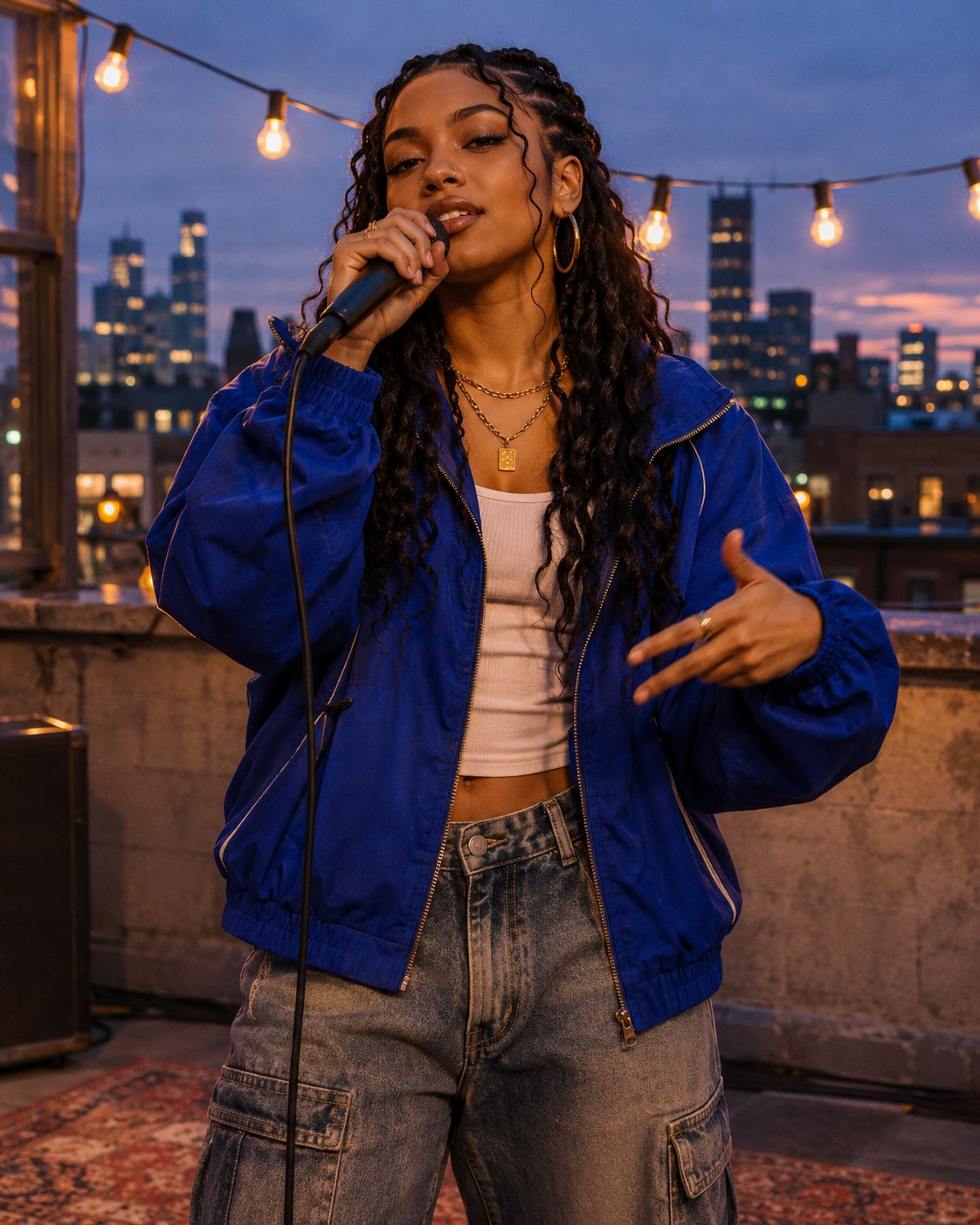
The preset pairs a four-line verse about a fresh start with a relaxed rooftop performance. The words, beat direction and scene are already set. Add a portrait to take the mic yourself, or create with an original performer.
The fresh-start verse and rooftop performance are ready. Keep them as they are, add a portrait to put yourself at the mic, or leave photos empty for an original performer.
The preset starts at 12 seconds in a vertical frame. Open Video settings if you need another supported length, ratio or quality, then check the displayed credit cost.
Create when the service is available, then open My videos. Listen to the final rhyme and check the performer’s face before opening the video to save or share it.
The rooftop artwork is a scene concept. Each video generates its own expressions and camera movement; it is not a recording of the cover image. The Bulin 47 clip below is a separate fixed-template example.
Four short lines move from a spark of inspiration to a confident entrance. The complete verse is included, with no topic or story to write first.
A blue-hour skyline, warm mic light and a relaxed boom-bap groove frame the performance. The preset gives the final rhyme room to land.
Use one clear portrait for a solo lead. A second photo adds a companion; with no photo, the creator makes an original performer.
The four-line verse follows a spark of inspiration into a fresh start. It is already loaded in the creator and sent with the rooftop performance.
Start at 12 seconds, or choose 10–15 seconds in video settings. Preview the finished video before sharing so you can check the voice and final rhyme.
Watch the Bulin 47 template example below. It has its own street scene and fixed performance. The rooftop creator above includes a fresh-start verse, with an optional editor for your own lyrics.
Explore Bulin 47Use the rooftop preset as a musical introduction. Add one clear portrait to guide the lead performer, then choose framing for the place you plan to post it.
Start with the included four lines and no photo. Listen to the result before trying a longer verse; extra words can crowd a short performance.
Yes. The scene, verse and delivery are already set. Photos are optional. Check the displayed length and credit cost, then create when generation is available.
Yes. Open “Use my own lyrics” below the create button and replace the preset. Keep your verse short enough for the selected 10–15 seconds.
Yes. Leave the photo slots empty for an original performer in the rooftop scene. No character description is needed.
Yes. The preset calls for original rap vocals over a relaxed boom-bap groove, with the prepared verse already included. You do not need to upload music. Listen to the finished performance before sharing, because vocal delivery can vary.
JPG, PNG and WebP are supported, up to 20 MB per image. Use a clear photo with the subject easy to see. Photos are optional, and you should only upload images you have permission to use.
The creator shows the current credit cost for your selected model, resolution and duration. Check that amount before creating; changing the settings can change the cost. You can explore the preset before signing in, but generation requires an account and enough credits.
Credits used for a generation are returned when the task is confirmed failed. An uncertain or pending task is checked again rather than treated as a failure. Open My videos and refresh the original task before starting another one. If it asks for manual review, contact support with the task details.
Open My videos in the creator to check progress and recent tasks for your signed-in account. Once a video is ready, play it in the result panel, then use Open video to save it through your browser. If saving is still in progress, follow the displayed status and refresh the task.
Return to the creator to make the prepared performance. A portrait is optional, and there is no verse to write first.