
MC A
You brought big talk, but I brought the spark, Your punchlines need a flashlight in the dark.
A scene. A verse. Your performance.
An opening and comeback are already written for two MCs. Create a rap battle directly, with optional portraits for either performer.
Sign in to generate. Review the current credit cost in the creator before submitting.
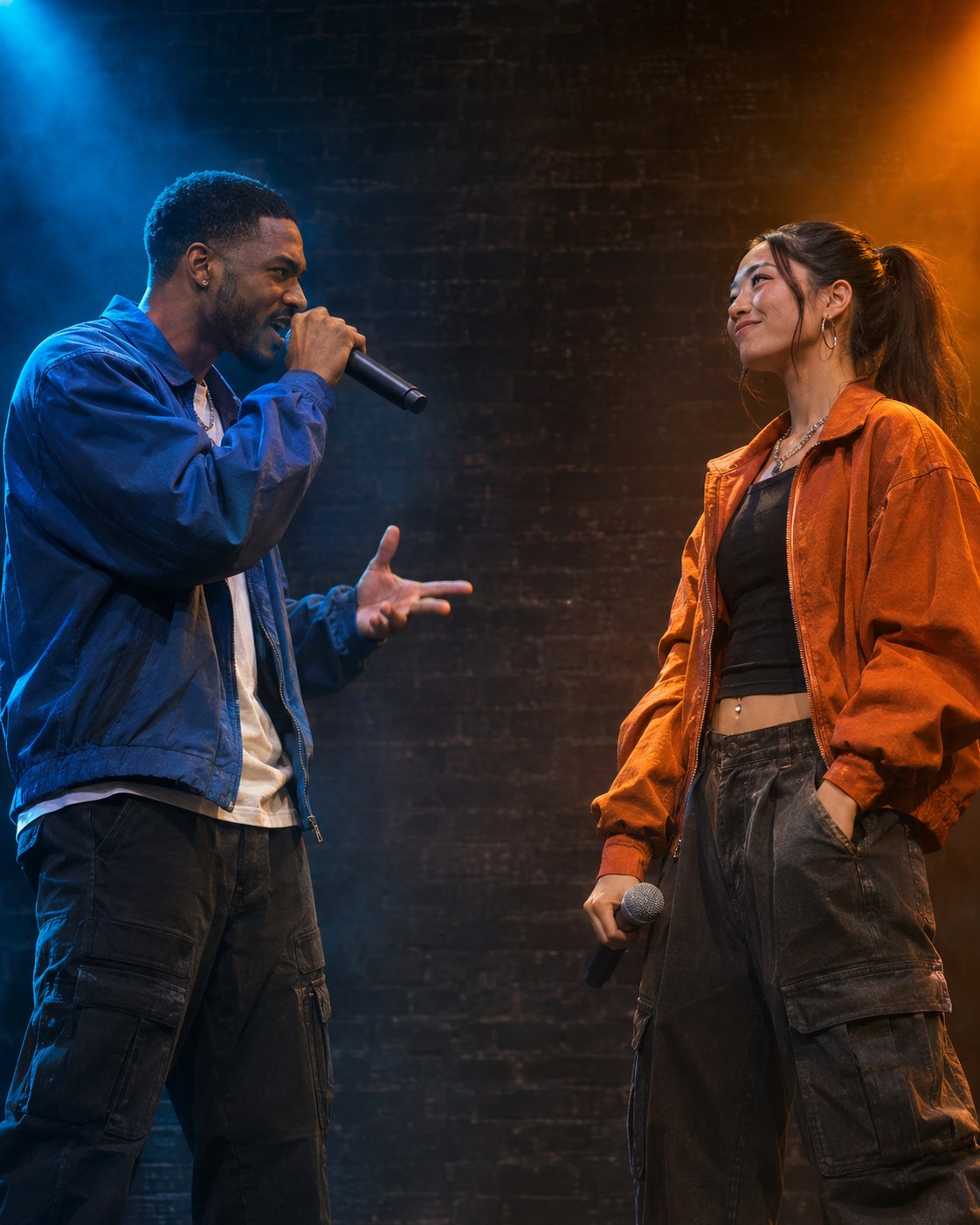
Rap battle
The battle preset is designed as a short exchange: A opens, B answers, and both react at the end. The two parts are already filled in, so you can start without writing either side. Add portraits for the MCs or use the original characters.
A’s opening and B’s comeback are included. No photos creates two original MCs; one portrait is used for A, while two portraits guide A on the left and B on the right.
The preset starts at 15 seconds to leave room for both voices. You can choose 10 or 12 seconds in Video settings. Check the selected frame, quality and credit cost before creating.
In My videos, watch who is speaking during each turn and check that the two appearances stay distinct. Listen to the comeback and shared ending before saving the result.
Blue and amber lighting mark the intended sides. The scene image is a concept, while turn-taking, expressions and lip movement are generated for each video. Review both faces and speaker timing in the result.
A starting script, already included
These are the starting words requested from the model, not a transcript of a finished video. Delivery, pronunciation and exact wording can vary.
You brought big talk, but I brought the spark, Your punchlines need a flashlight in the dark.
Keep your flashlight, I can see just fine, You set the stage; I came to own the rhyme.
Leave the last moment for a shared reaction. Short turns give both voices room to land.
Photo 1 guides MC A on the left; photo 2 guides MC B on the right. With only one portrait, A uses it and B is an original character.
A’s opening and B’s comeback are included. If you use your own script, keep A: and B: labels so each line has a clear speaker.
The preset starts at 15 seconds. Reducing it to 10 or 12 seconds leaves less room for each turn, so shorten custom lines accordingly.
Add one portrait per performer, with a distinct face in each image. The prepared opening and comeback give both sides something to say without writing a script.
Leave the photo slots empty to try the two-MC scene. Keep the default short turns for the first attempt before adding more lines in the optional editor.
The preset introduces both MCs, lets A deliver the opening and B answer, then ends with a shared reaction. Both turns are included automatically.
Yes. Open “Use my own lyrics” and edit the single script, keeping A: and B: labels for the two voices. The default 15-second video suits two short lines per MC.
No. Use two portraits for two familiar MCs, one portrait for A plus an original B, or leave both empty for original performers.
The preset is designed for alternating voices: A opens, B answers, and the listening MC reacts silently. Both share one original backing beat. If you replace the lyrics, keep A: and B: labels so the two parts remain clear.
JPG, PNG and WebP are supported, up to 20 MB per image. Use a clear photo with the subject easy to see. Photos are optional, and you should only upload images you have permission to use.
The creator shows the current credit cost for your selected model, resolution and duration. Check that amount before creating; changing the settings can change the cost. You can explore the preset before signing in, but generation requires an account and enough credits.
Credits used for a generation are returned when the task is confirmed failed. An uncertain or pending task is checked again rather than treated as a failure. Open My videos and refresh the original task before starting another one. If it asks for manual review, contact support with the task details.
Open My videos in the creator to check progress and recent tasks for your signed-in account. Once a video is ready, play it in the result panel, then use Open video to save it through your browser. If saving is still in progress, follow the displayed status and refresh the task.
The opening and reply are ready. Return to the creator and use the original MCs or add your portraits.